Handwritten Notes to AI Infographic: How To
How To AI for noobs, not dummies. Y'all are smart. <3
Most of what we learn in residency is written down once, in a hurry, on whatever paper is closest. AO course notepads. Hotel stationery. The back of a printed schedule. A blank page in the iPad app you swore you'd organize.
Then it sits there.
The gap between I wrote this down and I can teach this back is where most of the value gets lost. I have a dozen small notebooks that I held onto with pearls I learned through my fourth year of pod school rotating through different programs. My intent was to write those things all down, review intermittently until they became long-term memory. In fact, I even went through them all and turned every pearl into an Anki card — and studied them till I was sick. Yes, the studying paid off — but the creation of the resource did a lot in and of itself. MAKING something — that's active learning. Reading, even traditional methods of flashcarding, are passive.
Active recall while flashcarding helped me remember a lot of the pearls, but once residency started… oh boy. The time for Anki dwindled. I still did it in between clinic patients or in academics. But honestly — the med school Anki grind is unsustainable. I can't do Anki forever. Maybe Adrian Rosu can, but not me. And despite the best spaced repetition settings on your Pod AnKing Master Deck — that knowledge is gonna fade too.
Now before I say any more, an important caveat. You should memorize all you can as a student, even as a resident. Learn all you can, read all you can. Unfortunately those who memorize better get better residencies. Fight me if you don't believe it. But now that I'm just over a year from graduating residency, my approach to learning needs to change. My hand skills and procedural knowledge are a major focus now. In a year and three months, my patients will need the bulk of my time and mental effort.
So how do those pearls not get lost forevermore?
The answer is a digital brain.
I'll write more about digital brains later — the current goal is to teach how to make infographics, so I digress.
One of the elements of a digital brain is encoding your pearls. This is my fave way to not only build my digital brain, but to actively study new things I'm learning. And make things that are valuable to others. And to have fun doing it. ;)
How to make an AI Infographic for noobs (this is a beginner AI skill)
This is most useful IRL for handwritten notes from conferences, clinic, etc.
I'll use a real example: the first page of notes I took at an AO Basic course 2 wks ago. Soft tissue handling, Perren's strain theory, fracture blisters, a quote from one of the faculty. By the end of the workflow it was a clean editorial infographic I could re-read on the plane home and add to my digital brain.
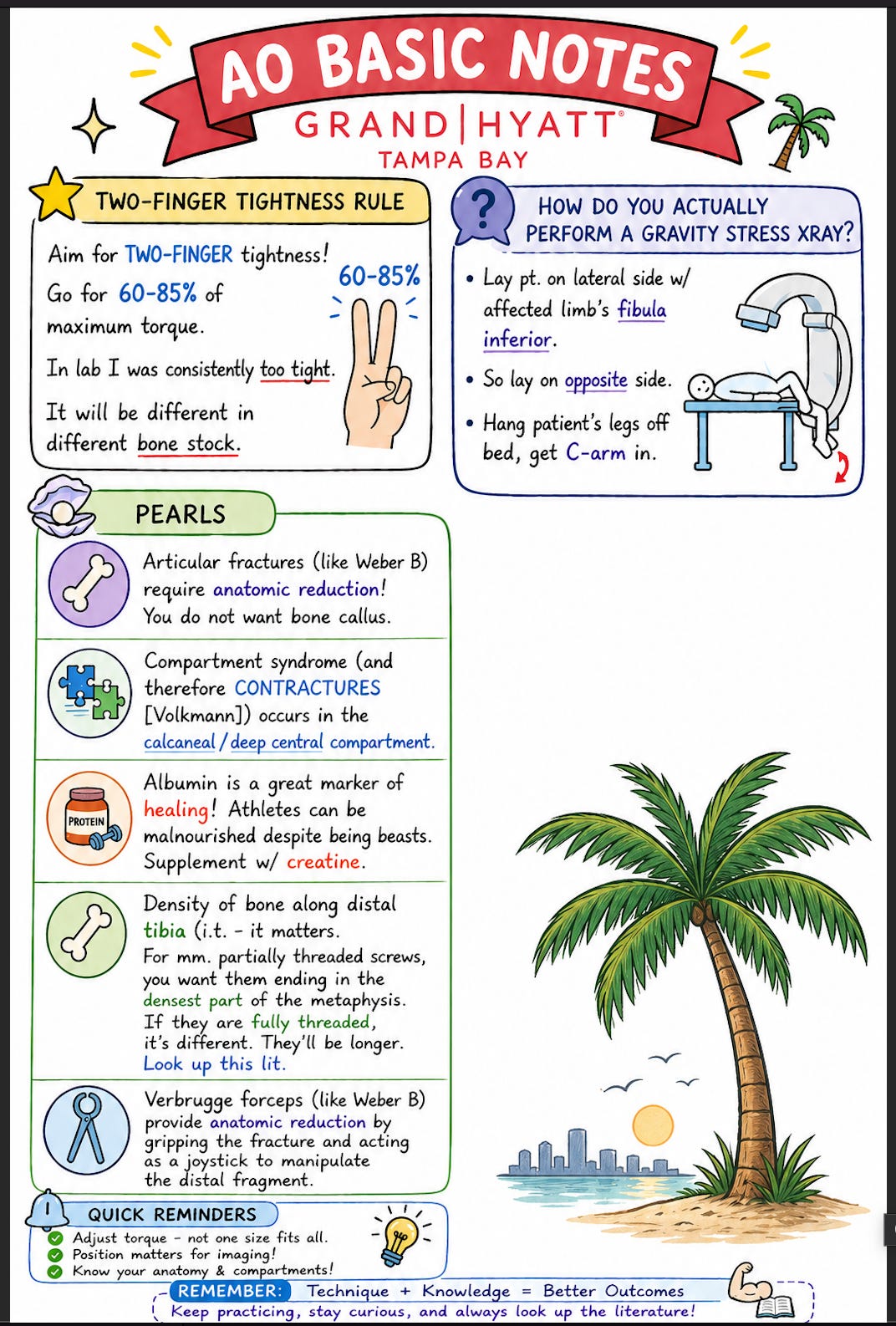
chatGPT output from hand-written notes, prompted to make infographic "word for word" — it did add the one cringy line at the bottom that I hate, but w/e.
What you need
- A clear photo of the page of notes. Daylight, no glare, the whole sheet in frame. If you have margin abbreviations —
fx = fracture,s.t. = soft tissue— capture those too. If you stick with one LLM, you'll only have to specify an abbreviation once as long as you tell it to remember. Handwriting doesn't even need to be that good (it worked for my half print / half cursive writing, so…). - ChatGPT app on your phone. Free to download — you can do like 3 images a day on the free version. They do trial months generously for Pro, and you can make a ton of images with it. It's like $20/mo if you want it always. As of May 2026, it must be chatGPT. Everything else doesn't do text gen well. They'll probs catch up, but openAI's Image 2.0 is the only name in this game rn.
That's it. You can add things like "Flag any words you can't make out and any abbreviations you're guessing at. Don't fill in gaps you're not sure about." But I don't. I've found it does a great job without that. Typically you only need to tell it abbreviations once — just prompt it to remember and it'll go into stored memory.
Make sure you add the picture from your Photo Roll — or pro hack: just take the image in-app. Do make sure "Create image" is chosen from the drop-down menu. You also don't have to do word for word if you don't want, but this will keep YOUR notes — it won't risk AI interpreting your notes and hallucinating as it interprets them.
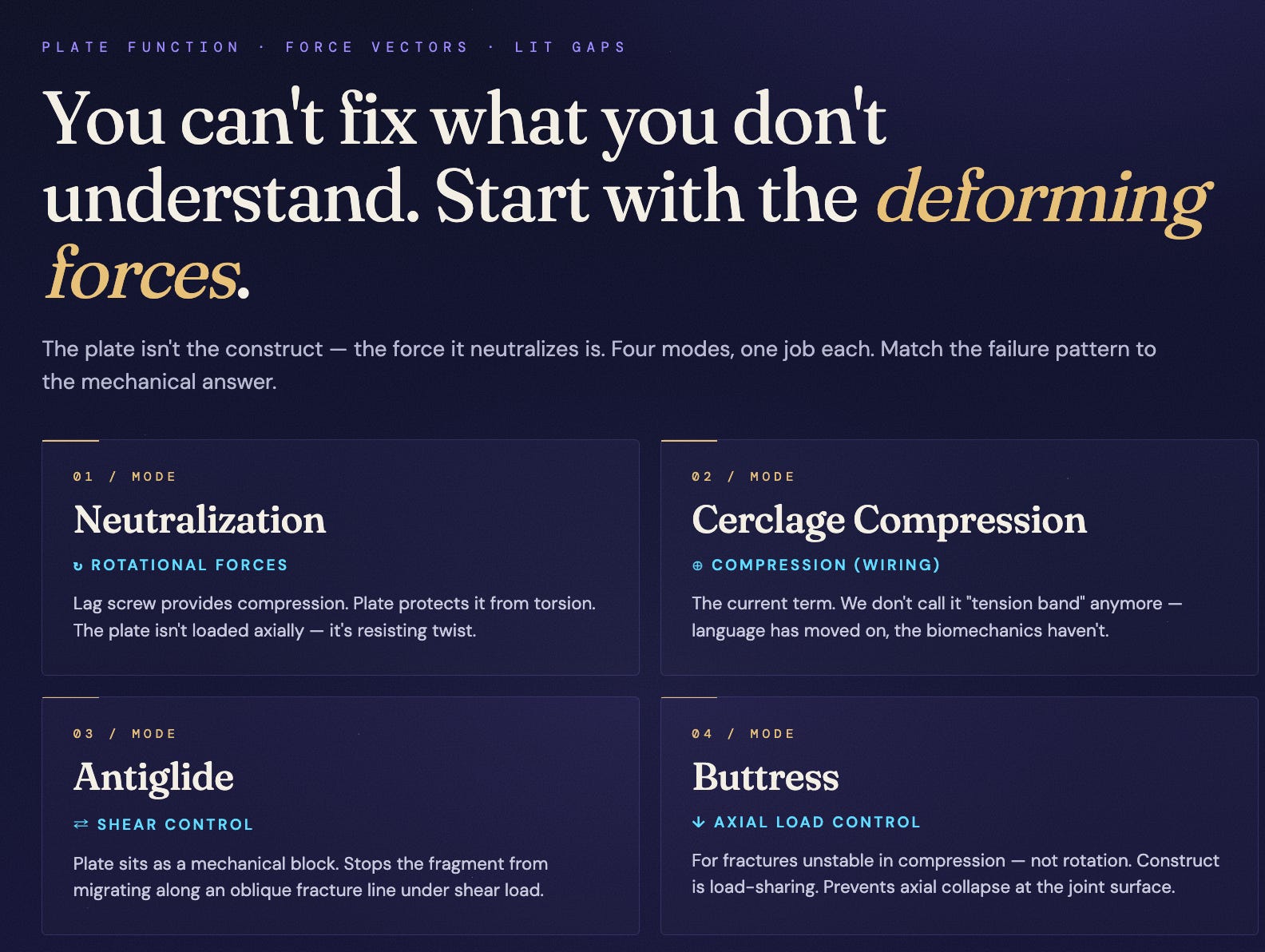
Now read it.
If there are text errors, just tell it to fix them. This is the game-changer with chatGPT Image 2.0. Nitty-gritty edits actually work. Finally.
You can get fancy telling it all sorts of fonts and color palettes you want — I don't bother. I said give me a tropical theme cuz' I'm in Tampa. If you don't like the style, tell it to change the style — just know if you're on free, you've got three images a day.
Do make sure you check for quality.
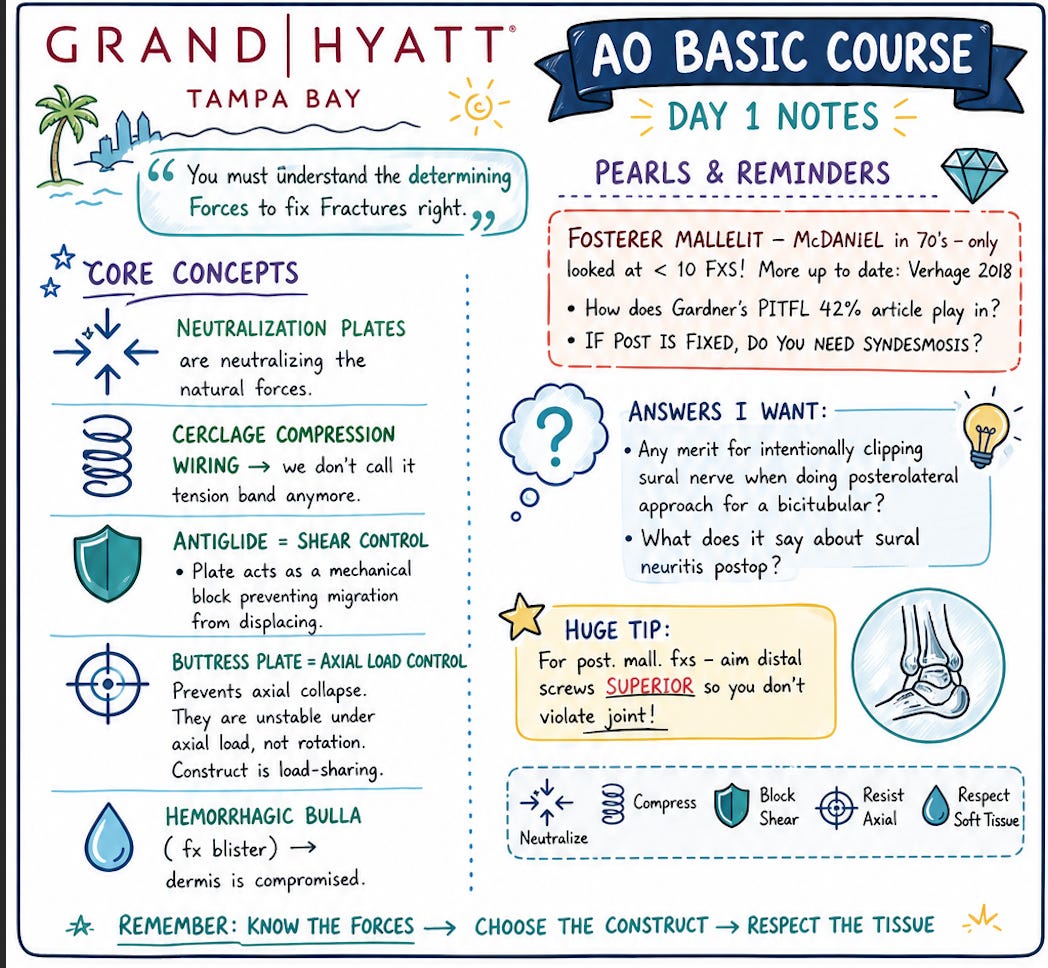
- Numbers. Strain percentages, dosages, time windows, cm or mm. One of my notes said "2–8%". It decided to just say "2%". So I told it to STAHP IT and fix it to be word for word. XD
- Negations. Won't, never, do not — easy to flip in transcription. Check those contractions.
- Attributions. If you wrote Perren, the graphic should say Perren, not "researchers."
- If you're doing a summary of your notes instead of word for word, and the graphic adds a fact you didn't write down, ask where that fact came from. If the model can't tell you, cut it.
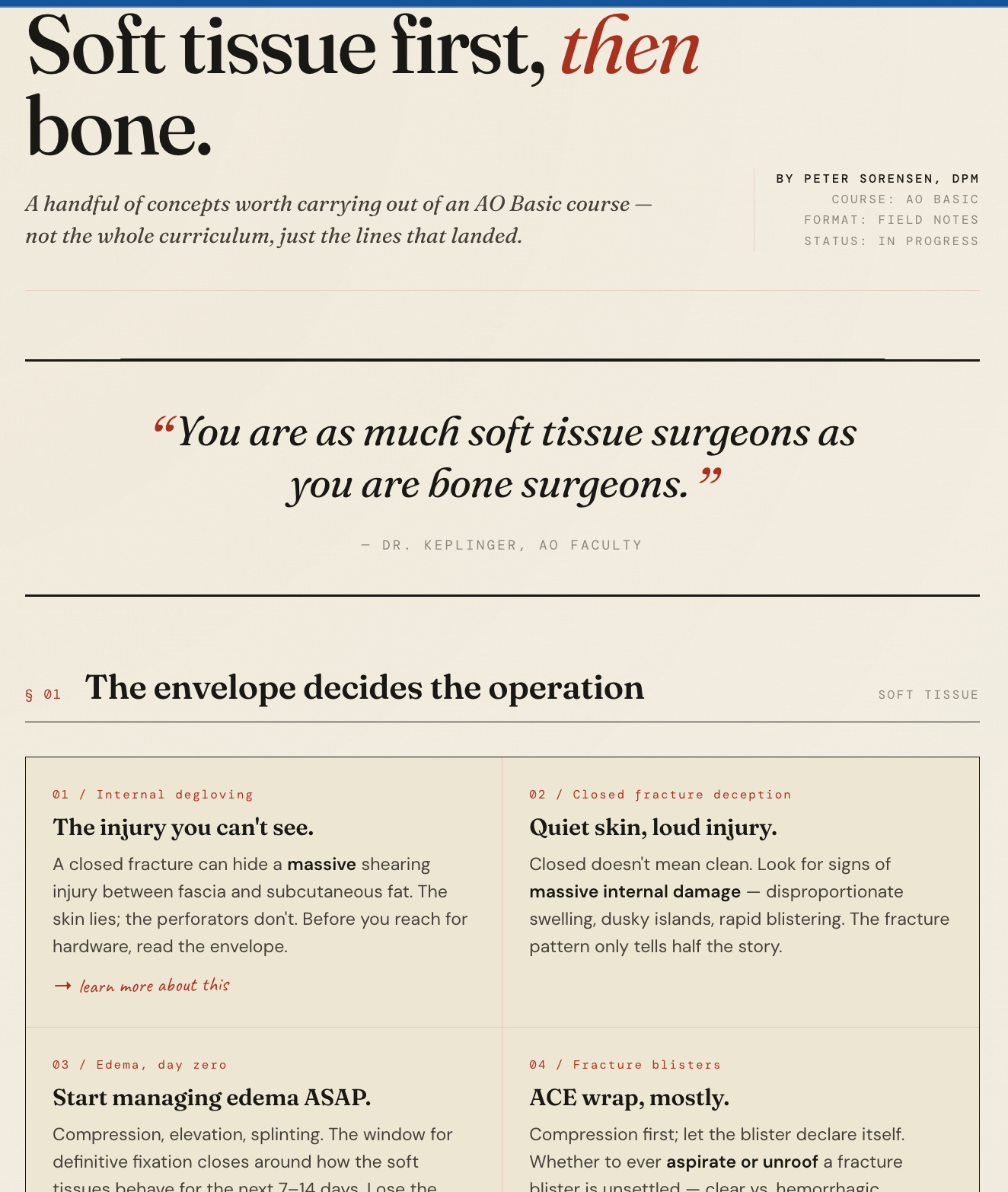
Another classic "Claude" look — html file. This one intentionally summarized; did NOT ask to go word for word. It will make assertive claims — great for expanding reach of your notes and learning, but opens to hallucinations.
Last Pearls
- Reuse a design system. Once you have a graphic you like, save the prompt that produced it. Have a Notes page with your fave prompts. Pro-level is to turn that design palette into a Skill — more on that someday. Personally I like to experiment with new styles. Even though I realize that's not good for someone trying to brand themselves. Idgaf tbh — just do you.
- Long-term pro-AI-user hack: Infographics are fun, but the long-term Digital Brain strategy — also have your LLM export a "self-contained HTML file" of the information, then tuck that away in a folder somewhere for later. You'll thank me. More to come.